 Casa
CasaPlan the meals. Prep ahead. Breathe.
Recipes, the pantry and the week's shopping, keeping each other honest.
For iPhone and iPad.
Free trial, then one annual subscription.
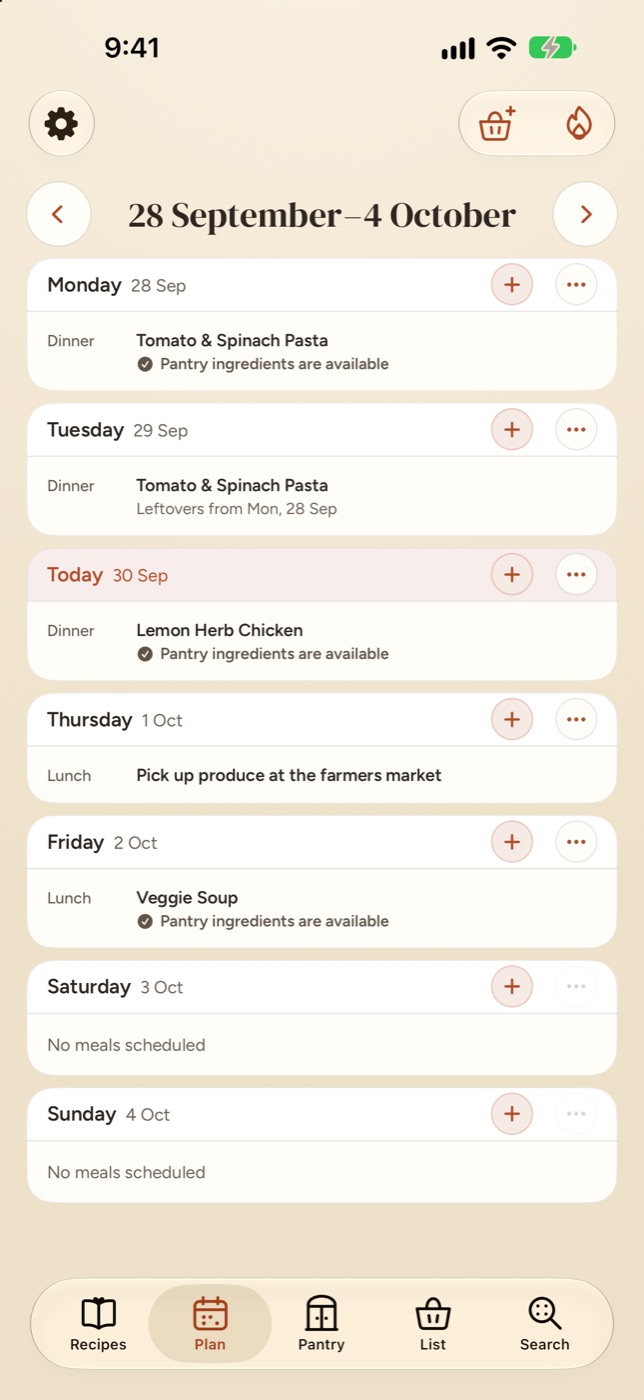
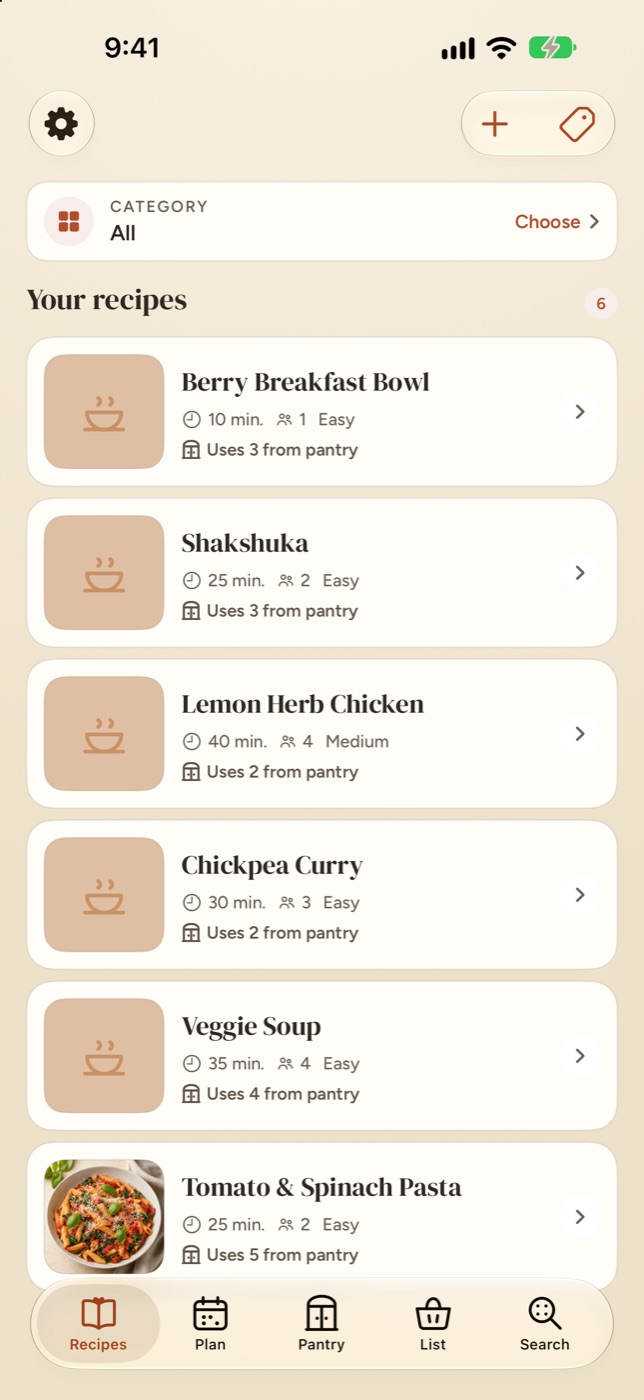
Casa keeps a household's recipes, pantry and shopping list talking to each other, so planning the week's meals is a decision rather than an inventory.
Casa already knows what's in the cupboard
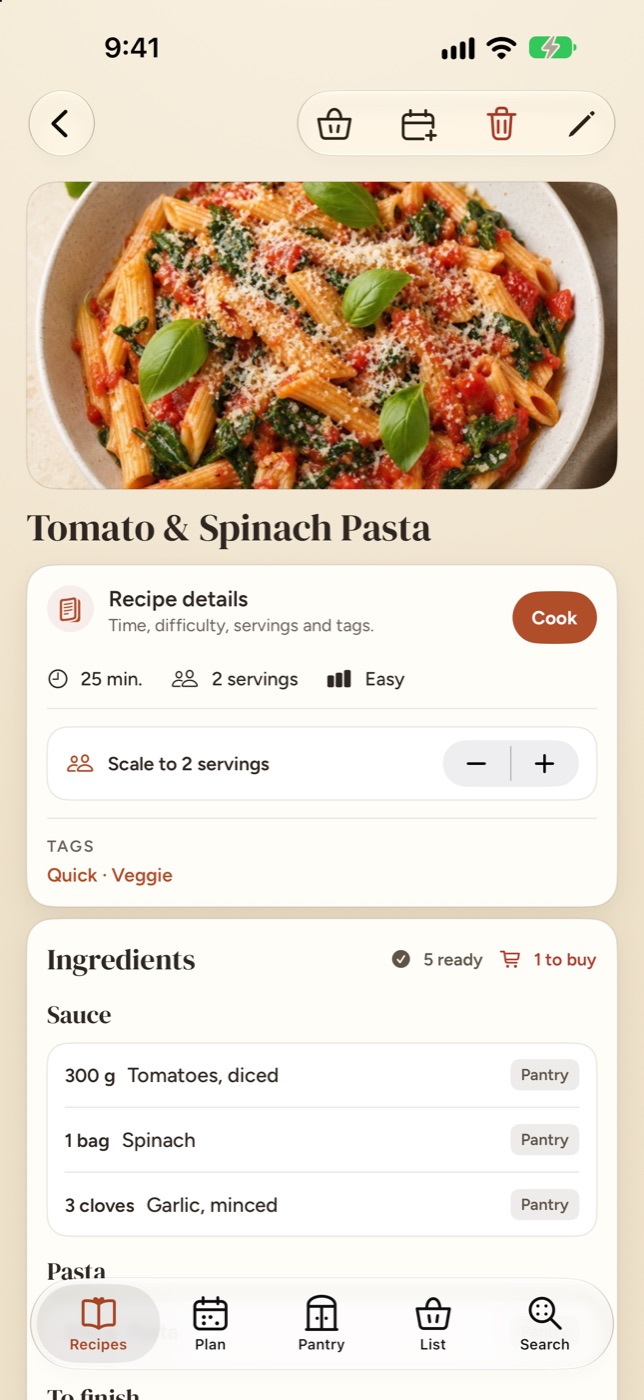
Every ingredient checked against your pantry before you turn the stove on.
Amounts, units and substitutes are all taken into account, so a recipe can tell you what's covered, what's short and what still needs buying.
- See what's ready and what's missing at a glance
- Send only the shortfall to the shopping list
- Scale servings without rewriting the recipe
Nothing gets lost at the back of the shelf
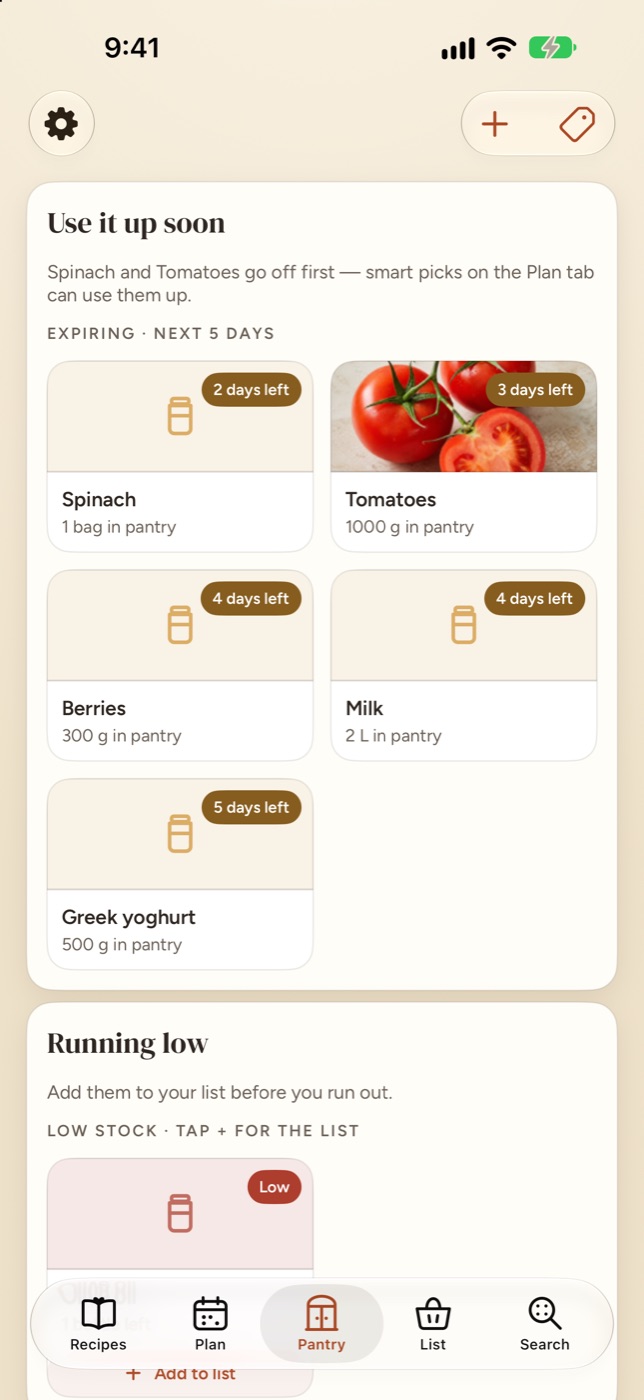
Casa quietly flags what's running low and what needs using up this week.
Keep track of amounts and best-before dates, get a nudge before something goes off, and know when a staple has run out.
- Use-soon reminders before food goes to waste
- Add stock by typing, barcode or receipt
- Stock set aside for planned meals stays put
One list the whole house shares
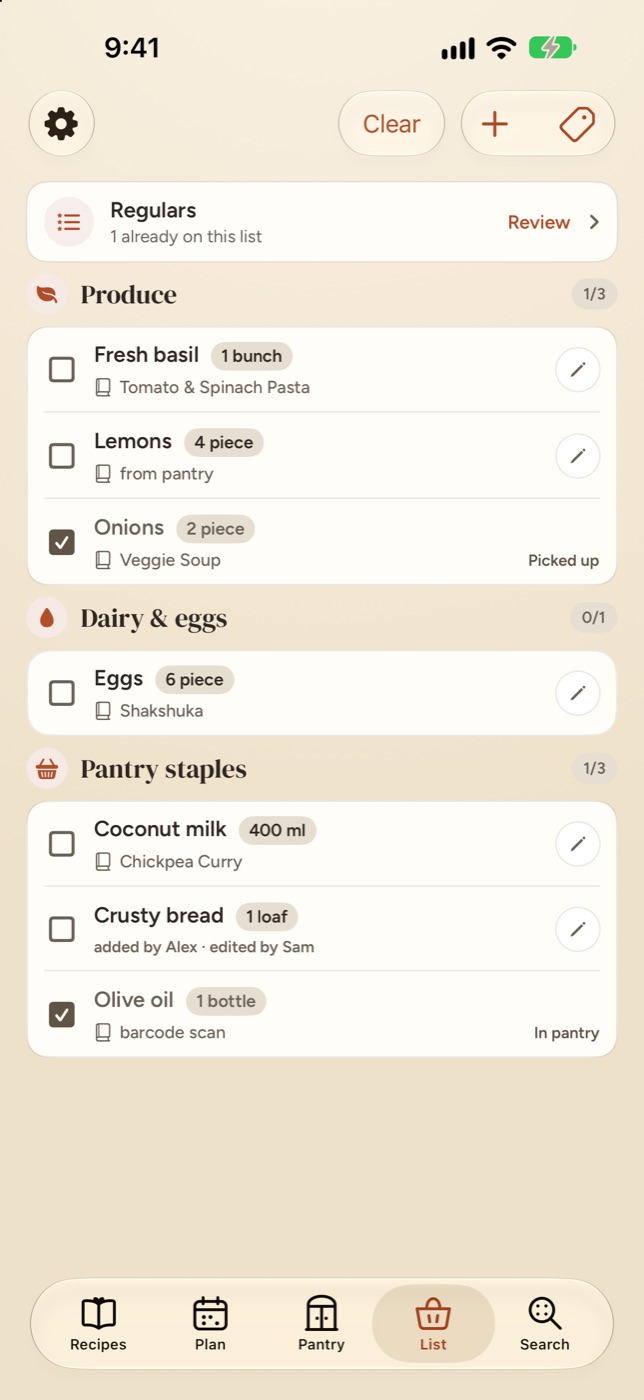
Built from your recipes, grouped by aisle, ticked off together.
Build the list from a single recipe or the whole week's plan. It merges duplicate amounts, remembers your regulars, and stays in step with everyone at home. When you're back, restock the pantry in one go.
- See which recipe each item is for
- Regulars for the things you buy often
- Know who added what
Every recipe you love, in one place
Import from the web, a photo, a file, or straight from the share sheet.
Bring your collection across from Crouton, Paprika or Mela, snap a page from a cookbook, or save a recipe from any website. Smart categories keep a big collection easy to browse.
The details that make it work at home
Everything a household needs to go from "what's for dinner?" to dinner.
-
A week at a glance
Drag meals between days, split leftovers across nights, and see which meals are ready to cook and which are still waiting on something.
-
Prep, remembered
Defrosting, marinating, soaking overnight: Casa spots the advance work in a recipe and reminds you when it's time.
-
Cook with it open
Step-by-step cooking mode with timers on the Lock Screen and in the Dynamic Island. Afterwards, Casa asks what you used and updates the pantry.
-
Ask Casa
Ask what's about to go off, what you could cook tonight, or which staples you're out of. Answered from your own kitchen, on your own device.
iOS 27 with Apple Intelligence -
Scan it in
Add what you buy by typing, scanning a barcode or scanning a receipt, and check what Casa found before anything is saved.
Receipt scanning on iOS 26 or later -
Widgets, Siri and Spotlight
Tonight's plan, what to use soon and what's left on the list, right on the Home Screen. Add to the list by voice and find any recipe from Spotlight.
-
Built for a household
Share the pantry, the plan and the list with the people you live with. Everyone sees the same kitchen, whoever gets home first.
-
Make it yours
Four colour themes, four app icons, light and dark appearance, and full Dynamic Type support.
-
Take it with you
Export the whole kitchen, photos and all, to a portable .casa backup whenever you like.
Your kitchen data stays yours
Casa has no server. Your household syncs through your own iCloud account, and Ask Casa answers on your device, with nothing sent to us.
-
No account to createCasa uses the iCloud account that's already on your iPhone or iPad.
-
No ads, analytics or trackingCasa doesn't collect data about you or what you do in the app.
-
Stored in your own iCloudRecipes, pantry, plans and lists live on your devices and in your iCloud, shared only with people you invite.
-
Smarts that stay on deviceAsk Casa and text recognition for photos and receipts run on your iPhone or iPad.
Try it free for two months
Casa is free to download. Everything is included in one subscription, with a two-month free trial to start.
Casa Annual
2 months freeThen billed once a year. The price is shown in the App Store in your local currency before you start.
- Every feature, on iPhone and iPad
- Family Sharing supported
- Cancel any time in your Apple Account settings
Nothing held hostage
If your subscription ends, you can still open Casa, browse every recipe, plan and list, and export a complete backup. You just can't make changes until you subscribe again.
Coming soon to iPhone and iPad
Casa is on its way to the App Store. Questions in the meantime? We'd love to hear from you.